How to Use CapCut Pro for Professional Video Editing
In the rapidly evolving landscape of digital content creation, having a powerful yet accessible video editing tool is no longer a luxury, but a necessity. CapCut, initially known for its user-friendly mobile interface, has emerged as a formidable player in the editing world. With the introduction of CapCut Pro, its capabilities have expanded dramatically, offering a suite of advanced features designed to meet the demands of professional video editors, filmmakers, and content creators. Whether you're crafting cinematic short films, dynamic social media campaigns, or compelling documentaries, CapCut Pro empowers you with the tools to transform your vision into stunning visual realities. This comprehensive guide will take you through the intricacies of CapCut Pro, helping you unlock its full potential to produce truly professional-grade video content that stands out in a crowded digital space.
Understanding CapCut Pro: Elevating Your Editing Experience
CapCut Pro is the premium tier of the popular CapCut video editing application, designed for creators who demand more power, flexibility, and a broader range of creative assets. While the free version offers a robust set of tools perfect for beginners and casual editing, CapCut Pro takes your projects to the next level with exclusive features, advanced functionalities, and an expanded library of resources. This subscription-based service provides access to a wealth of professional-grade effects, transitions, audio tools, and much more, allowing for greater control over your narrative and aesthetic.
The beauty of CapCut Pro lies in its cross-platform availability. You can seamlessly work on your projects whether you're using a mobile device (iOS or Android) or a desktop computer (Windows or macOS). This flexibility means you can start an edit on your phone during your commute and refine it with the precision of a desktop workstation, ensuring a smooth and uninterrupted creative workflow.
What CapCut Pro Offers Beyond the Free Version
Subscribing to CapCut Pro unlocks a treasure trove of enhancements. You gain access to a larger library of licensed music, premium sound effects, exclusive filters, and sophisticated effects that are simply not available in the free version. Moreover, Pro users benefit from enhanced performance, faster processing times, and often, higher export resolutions without watermarks, making your final output truly professional. The expanded cloud storage capacity also allows for better project management and collaboration capabilities.
Navigating the CapCut Pro Interface
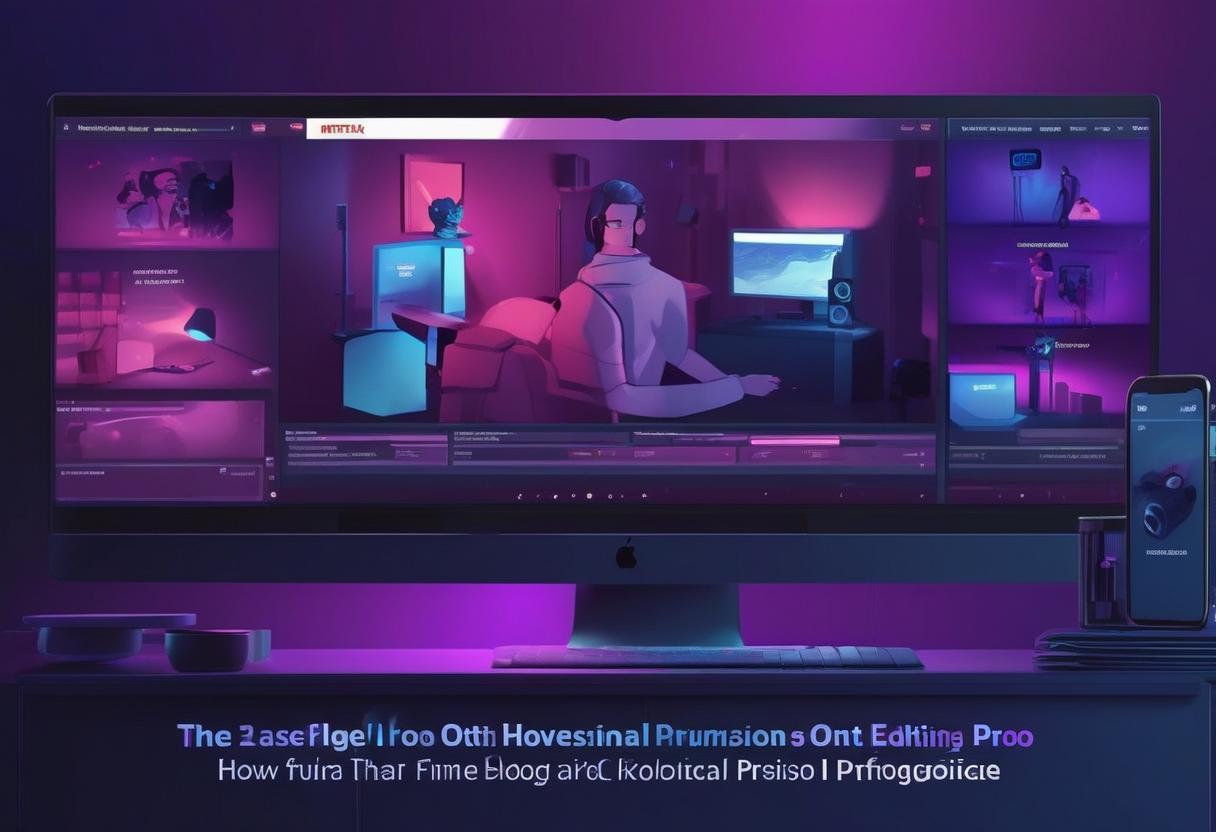
Upon launching CapCut Pro, you'll find a familiar yet refined interface. The layout is intuitively designed, typically featuring a media panel for importing assets, a viewer panel to preview your edits, a detailed timeline for sequencing your clips, and a properties panel for adjusting effects, text, and other elements. Familiarizing yourself with these zones is crucial for an efficient workflow. Spend some time exploring the various menus and options; you'll quickly discover where all the powerful tools reside, ready to be applied to your footage.
Mastering Core Professional Editing Techniques
Professional video editing is all about precision and control. CapCut Pro provides a robust set of tools that go far beyond basic cuts, allowing you to sculpt your narrative with finesse.
Advanced Timeline Management and Keyframes
The timeline is the heart of any video editor, and CapCut Pro offers advanced capabilities. You can layer multiple video tracks, overlay graphics, and precisely place audio elements. Utilizing keyframes is a game-changer for dynamic edits. Keyframes allow you to animate parameters like position, scale, opacity, rotation, and even effect intensity over time. For example, you can use keyframes to make text fly onto the screen, gradually increase the volume of a music track, or smoothly zoom in on a specific part of your video. Mastering keyframes is fundamental for creating sophisticated motion graphics and smooth visual transitions.
- Layering: Stack multiple video and graphic elements to create complex compositions.
- Grouping: Select and group clips for easier manipulation and synchronization.
- Keyframe Animation: Precisely control object movement, effect parameters, and audio levels over time.
Precision Trimming, Splitting, and Speed Ramps
Beyond simple cuts, CapCut Pro offers tools for precise trimming and splitting. You can easily trim clips from either end, split them at any point, and rearrange segments to perfect your pacing. The ripple delete feature automatically closes gaps after removing a clip, saving you valuable time. For dramatic effect or to match a beat, speed ramps allow you to smoothly accelerate or decelerate specific parts of your video. This non-linear speed adjustment can add significant impact, making certain moments feel more intense or relaxed.
Elevating Your Audio Experience with Pro Tools
Sound is half the movie, and CapCut Pro doesn't skimp on audio features. You can perform detailed audio mixing, adjusting individual track volumes with keyframes for seamless transitions between music, dialogue, and sound effects. The Pro version often includes advanced audio editing capabilities such as noise reduction, which helps clean up unwanted background sounds, and vocal isolation, which can help bring dialogue to the forefront. Beat detection tools can automatically mark beats in your music, making it easier to synchronize visuals and transitions to the rhythm, creating a more professional and engaging feel.
"A well-edited video isn't just about what you see, but also what you hear. CapCut Pro's audio tools are essential for crafting an immersive auditory experience that complements your visuals perfectly."
Mastering Visual Effects (VFX) & Transitions
CapCut Pro grants you access to an expanded library of professional effects and transitions that can dramatically enhance your video. Beyond standard dissolves and wipes, you'll find dynamic motion graphics, trendy glitch effects, and sophisticated visual enhancements. Many Pro effects can be customized with keyframes, allowing you to control their intensity and timing precisely. Custom transitions can be built or refined to perfectly match your brand or video style, ensuring a cohesive and polished look throughout your project. Experimentation here is key to discovering your unique visual signature.
Color Grading and Visual Enhancement for Professional Results
Color is one of the most powerful tools in a video editor's arsenal, dictating mood, tone, and visual consistency. CapCut Pro offers a comprehensive suite of color tools that rival dedicated color grading software.
Professional Color Correction: The Foundation
Before diving into creative grading, it's essential to perform accurate color correction. CapCut Pro provides detailed controls for adjusting white balance to ensure colors are true-to-life, exposure to brighten or darken your footage, and contrast to define the depth and richness of your image. You can also fine-tune highlights, shadows, saturation, and vibrancy. These foundational adjustments ensure your footage looks natural and consistent across all clips, creating a professional base for further artistic enhancements.
Creative Color Grading: Setting the Mood
Once your footage is corrected, color grading allows you to infuse it with a specific mood or aesthetic. CapCut Pro offers advanced tools like HSL (Hue, Saturation, Luminance) adjustments, enabling you to target and modify specific colors without affecting others. Want to make the sky a deeper blue or leaves a more vibrant green? HSL is your tool. The Pro version also includes a wider selection of cinematic LUTs (Look Up Tables) and filters that can instantly transform your video's look, from a vintage film aesthetic to a modern, punchy vibe. You can even save your custom color adjustments as presets for future projects, ensuring brand consistency.
Enhancing Visuals with Filters, Overlays, and Blend Modes
Beyond standard color adjustments, CapCut Pro offers an extensive library of premium filters and overlays. These can add subtle textures, light leaks, film grain, or artistic effects to your footage. The real power comes when combining these with blend modes, which allow you to define how different layers interact with each other. For instance, using an "Overlay" blend mode with a light leak can create a beautiful, organic glow, while "Multiply" can deepen shadows. Experimenting with different filters and blend modes can dramatically elevate the visual richness of your video.
Advanced Features for a Polished, Professional Look
CapCut Pro extends its capabilities with several advanced features that are crucial for high-quality video production, helping you achieve a truly cinematic finish.
Green Screen (Chroma Key) Mastery
The chroma key feature in CapCut Pro allows you to remove a specific color (typically green or blue) from your footage, enabling you to place your subject against any background. This is invaluable for creating professional-looking visual effects, virtual sets, or simply changing the environment of your shot. The Pro version typically offers more precise controls for refining the key, such as spill suppression and edge feathering, which are essential for seamless integration of your foreground and background elements. Achieving a clean key requires good lighting during shooting, but CapCut Pro helps you make the most of your footage.
Stabilizing Shaky Footage
Handheld footage can often suffer from unwanted shakiness, which detracts from the professional quality of your video. CapCut Pro includes robust stabilization tools that can smooth out jerky movements, making your shots appear as if they were filmed with a gimbal or steady cam. While it can't fix extremely shaky footage perfectly, it can significantly improve the watchability of many clips, especially those captured in dynamic environments. Utilize this feature judiciously to give your videos a polished and cinematic feel without distracting wobbles.
Dynamic Text, Titles, and Motion Graphics
Effective use of text and titles is crucial for conveying information, branding, and storytelling. CapCut Pro offers an expanded library of professional text templates, fonts, and animation presets. You can customize every aspect, from font style and size to color, shadows, and strokes. More importantly, you can use keyframes to animate text entry and exit, create dynamic lower thirds, or even track text to moving objects within your video. This opens up possibilities for engaging intros, captivating call-to-actions, and professional informational overlays that enhance your narrative without being static or boring.
Masking and Blending Modes for Creative Compositions
Masking allows you to selectively reveal or hide portions of a video layer, creating complex visual compositions. Whether you want to place a video inside a shape, create split screens, or blend elements together in unique ways, CapCut Pro's masking tools provide the flexibility you need. Combined with blend modes, you can achieve stunning creative effects, such as overlaying textures, creating ghostly apparitions, or integrating visual elements seamlessly into your scene. These techniques are cornerstones of advanced video compositing and can truly elevate your production value.
Optimizing Your Workflow and Exporting for Success
A professional editor knows that efficiency in workflow and proper export settings are just as important as creative edits.
Efficient Project Management
As your projects grow in complexity, good organization becomes paramount. CapCut Pro helps you manage your assets by allowing you to create folders for different types of media (video, audio, graphics), name your clips meaningfully, and save multiple versions of your projects. Regularly saving your work and backing up important assets, especially when utilizing CapCut Cloud storage, prevents potential data loss and ensures a smooth editing process. Keeping your media library tidy will significantly speed up your editing workflow.
Exporting for Various Platforms with Optimal Settings
The final step is exporting your masterpiece. CapCut Pro offers a wide range of export settings to ensure your video looks its best on any platform. You can choose your resolution (up to 4K for Pro users), frame rate, and bitrate. Higher bitrates generally result in better quality but larger file sizes. It's crucial to understand the recommended settings for platforms like YouTube, Instagram, TikTok, or Vimeo. For instance, YouTube often prefers higher bitrates and 16:9 aspect ratios, while TikTok thrives on vertical 9:16 videos. CapCut Pro allows you to save custom export presets, streamlining the process for your specific content needs. Always export a test clip to check for quality and any unforeseen issues before generating the final version.
Cloud Storage and Collaborative Features
CapCut Pro often includes enhanced cloud storage, allowing you to save your projects and assets online. This is not only a fantastic backup solution but also facilitates a seamless workflow across different devices. You can start editing on your phone and pick up exactly where you left off on your desktop. For teams or joint projects, some versions of CapCut Pro may offer collaborative features, allowing multiple editors to work on the same project or share assets efficiently. Check the latest CapCut Pro features for the most up-to-date information on its collaborative capabilities.
CapCut Free vs. CapCut Pro: A Feature Comparison
To help you understand the significant advantages CapCut Pro offers, here's a comparison of key features between the free and premium versions. This table highlights why investing in the Pro subscription can truly elevate your professional video editing projects.
| Feature | CapCut Free | CapCut Pro |
|---|---|---|
| Watermark | Yes (removable manually at end) | No Watermark |
| Cloud Storage | Limited | Generous (e.g., 100GB or more) |
| Export Resolution | Up to 1080p, sometimes 2K | Up to 4K UHD |
| Advanced Effects & Filters | Basic selection | Extensive premium library, exclusive VFX |
| Pro Transitions | Standard set | Wider range of dynamic and customizable transitions |
| Audio Tools | Basic volume, fade, speed | Noise reduction, vocal isolation, beat detection, expanded music library |
| Color Grading | Basic adjustments (brightness, contrast, saturation) | HSL, professional LUTs, advanced curves, custom presets |
| Keyframe Animation | Limited application | Full control over most parameters for advanced animation |
| Text & Titles | Standard fonts & templates | Premium fonts, dynamic templates, advanced text tracking |
| Chroma Key (Green Screen) | Basic functionality | Refined controls for cleaner keying and spill suppression |
As you can see, CapCut Pro offers a significant upgrade, particularly in areas critical for professional-grade content such as resolution, advanced effects, precise color control, and seamless project management. The absence of a watermark alone makes it a worthwhile investment for serious creators.
Frequently Asked Questions About CapCut Pro
We've compiled some common questions about CapCut Pro to help you make an informed decision and maximize your editing experience.
Is CapCut Pro worth it for professionals?
Absolutely. For content creators, filmmakers, and marketers who rely on high-quality video, CapCut Pro offers an incredible value proposition. The expanded feature set, including 4K export, advanced color grading, a vast library of professional assets, and watermark-free output, makes it a powerful and cost-effective tool compared to more expensive desktop alternatives. It strikes a balance between accessibility and professional functionality, proving to be a worthy investment for those serious about their video content.
Can I use CapCut Pro on both desktop and mobile devices?
Yes, your CapCut Pro subscription typically covers usage across multiple platforms. This means you can log in with your Pro account on your smartphone, tablet, and desktop computer (Windows or macOS) and seamlessly access your premium features and cloud-synced projects. This cross-device compatibility is a significant advantage for creators who need flexibility in their workflow.
What are the main differences between CapCut Free and Pro?
The primary differences lie in access to exclusive features, asset libraries, and export capabilities. CapCut Pro removes watermarks, allows 4K export, provides significantly more cloud storage, and unlocks premium effects, transitions, audio tools (like noise reduction), and advanced color grading options. The free version is excellent for basic edits, but the Pro version is essential for achieving a polished, professional finish without limitations.
Does CapCut Pro offer royalty-free music and sound effects?
Yes, CapCut Pro provides an extensive library of royalty-free music tracks and sound effects. This is a huge benefit for creators, as it allows them to enhance their videos with high-quality audio without worrying about copyright infringement or licensing fees. The Pro library is typically much larger and more diverse than the free version, offering a wider range of genres and moods to fit any project.
How often are new Pro features added to CapCut?
CapCut is known for its frequent updates and continuous improvement. The developers regularly roll out new features, effects, templates, and optimizations for both the free and Pro versions. Pro users often get early or exclusive access to cutting-edge tools and premium content, ensuring that the software remains at the forefront of video editing technology. Staying updated with the latest version is always recommended to leverage new functionalities.
Can CapCut Pro replace traditional desktop editing software?
For many professional content creators, especially those focusing on social media, vlogging, and short-form video, CapCut Pro can indeed serve as a primary or even sole editing solution. Its robust feature set and cross-platform capabilities make it incredibly versatile. While it might not have every single highly specialized feature found in industry giants like Adobe Premiere Pro or DaVinci Resolve, its ease of use, speed, and powerful tools make it a compelling alternative for a vast majority of professional editing tasks. For complex long-form films with intense VFX, dedicated software might still be necessary, but CapCut Pro handles a tremendous amount with impressive capability.
CapCut Pro stands as a testament to the evolving accessibility of professional-grade video editing. By offering a comprehensive suite of advanced tools, from intricate timeline management and precision audio controls to sophisticated color grading and dynamic motion graphics, it empowers creators to elevate their video projects to an unprecedented level of polish and professionalism. Whether you're a seasoned editor looking for an agile, powerful alternative or an ambitious content creator aiming to produce stunning visual narratives, mastering CapCut Pro will undoubtedly expand your creative horizons. Dive in, experiment with its rich features, and unleash your full potential to tell your stories with impactful, professional quality. Your audience awaits your next masterpiece, crafted with the precision and flair only CapCut Pro can deliver.