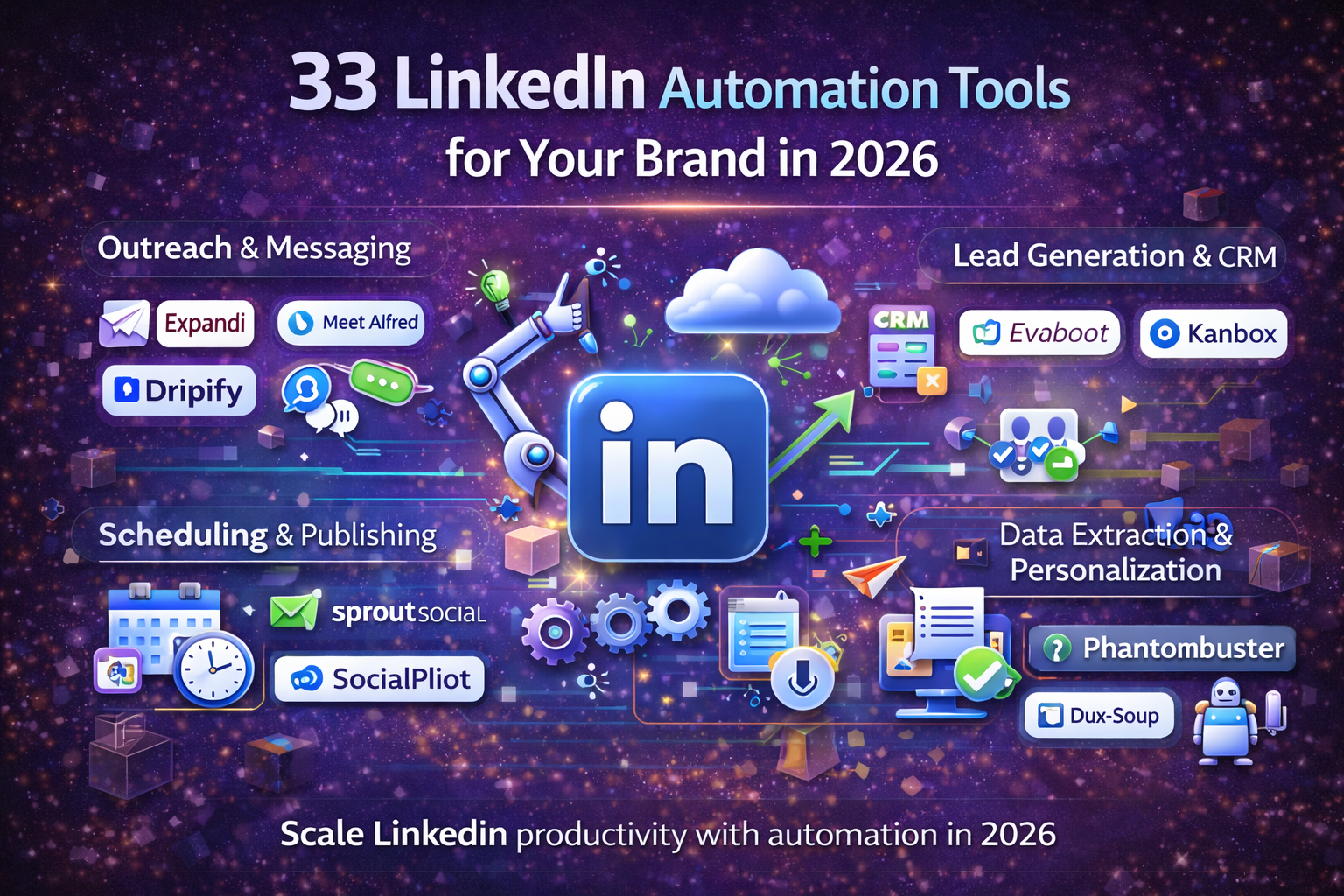
33 LinkedIn Automation Tools for Your Brand in 2026
In the ever-evolving landscape of digital marketing, LinkedIn remains an undisputed powerhouse for professional networking, lead generation, and brand building. As we look towards 2026, the strategic use of LinkedIn automation tools isn't just an advantage—it's a necessity for brands looking to scale their outreach, streamline operations, and forge meaningful connections efficiently. Gone are the days of manual, time-consuming prospecting; today's top brands leverage smart, compliant automation to maximize their presence and impact on this crucial platform. This comprehensive guide will walk you through 33 cutting-edge LinkedIn automation tools designed to elevate your brand's strategy, whether you're focused on sales, recruitment, content distribution, or robust analytics. Get ready to discover the solutions that will redefine your professional engagement and drive tangible results in the coming years.
Why LinkedIn Automation is Non-Negotiable for Brands in 2026
The professional world moves at an unprecedented pace, and standing out on LinkedIn requires more than just a well-crafted profile. Automation tools empower your brand to execute sophisticated strategies with precision and efficiency that manual efforts simply can't match. From nurturing leads to identifying top talent and distributing your valuable content, these tools act as an extension of your marketing and sales teams, working tirelessly in the background. By 2026, brands that haven't embraced smart automation will find themselves lagging behind competitors who are effectively leveraging these powerful resources to expand their reach and influence.
The benefits extend beyond mere time-saving. Automation facilitates consistent brand messaging, ensures timely follow-ups, and allows for large-scale personalization that feels authentic. It also provides invaluable data for optimizing your campaigns and understanding your audience better. Ultimately, integrating the right LinkedIn automation tools can significantly boost your return on investment by converting more prospects into customers and more connections into brand advocates.
The Core Categories of LinkedIn Automation Tools
Before diving into specific tools, it's helpful to understand the different functionalities they offer. While many tools are multi-faceted, they generally excel in certain areas, catering to distinct brand needs. Here are the primary categories you'll encounter in the automation landscape:
- Lead Generation & Sales Outreach: Tools designed to identify, connect with, and nurture potential clients, automating initial contact and follow-up sequences.
- Recruitment & Talent Acquisition: Solutions that streamline the process of finding, engaging, and assessing candidates for various roles.
- Content, Engagement & Brand Building: Platforms that help schedule posts, manage interactions, grow your network organically, and enhance brand visibility.
- Analytics, CRM & Advanced Integration: Tools offering deep insights into your LinkedIn activities, seamless integration with CRM systems, and more complex automation workflows.
Understanding these categories will help you identify which tools best align with your specific business objectives and target audience, ensuring a focused and effective strategy.
Top 33 LinkedIn Automation Tools for Your Brand
Here's our curated list of the most effective LinkedIn automation tools that brands should consider integrating into their strategy for 2026. Each tool offers unique strengths to address various marketing, sales, and recruitment challenges.
Lead Generation & Sales Outreach Pioneers
These tools are powerhouses for sales teams and business development professionals aiming to expand their network and generate qualified leads directly from LinkedIn.
- Expandi: A cloud-based platform for safe, personalized outreach with dynamic elements like images and GIFs. Ideal for agencies and sales teams.
- Waalaxy: Combines LinkedIn and email outreach into multi-channel campaigns, offering advanced sequencing and CRM features.
- Dripify: Focuses on creating drip campaigns with automated actions including connects, messages, profile visits, and skill endorsements.
- Sales Navigator: LinkedIn's native tool for precise lead filtering and list building, crucial for targeting and often integrated with automation platforms.
- Phantombuster: Offers a collection of "phantoms" to automate various LinkedIn tasks like scraping profiles and sending connection requests.
- Zopto: Automates LinkedIn outreach, targeting, and engagement for sales teams, with features for A/B testing and performance tracking.
- Linked Helper 2: A desktop application providing extensive automation for message sequences, profile visits, and data extraction.
- Reply.io: A versatile sales engagement platform that includes robust LinkedIn automation alongside email, calls, and tasks.
- Lemlist: Known for hyper-personalized email, Lemlist also integrates LinkedIn automation for powerful multi-channel sequences with custom visuals.
- Snov.io: A powerful email finder and verifier that also offers a robust CRM and drip campaign builder, highly useful for sales outreach.
- Lusha: Specializes in providing accurate B2B contact information, including direct dials and email addresses from LinkedIn profiles.
Recruitment & Talent Acquisition Accelerators
For HR professionals and recruiters, these tools streamline the often-tedious process of identifying, connecting with, and engaging top talent.
- Recruit CRM: An Applicant Tracking System (ATS) and CRM combined, offering LinkedIn integrations to import candidate data and streamline outreach.
- SourceHub (by Recruit'em): A sophisticated tool for building complex search strings to pinpoint ideal candidates on LinkedIn and other platforms.
- Manatal AI Recruitment: AI-powered talent sourcing across various platforms, including deep LinkedIn integration for comprehensive candidate profiles.
- Octopus CRM: A user-friendly tool that automates connection requests, message sending, profile visits, and endorsements for recruiters.
- Skrapp.io: Primarily an email finder that helps recruiters quickly locate professional email addresses from LinkedIn profiles.
- Hunter.io: Known for its email finder and verifier, also helps identify email patterns from company websites and integrates with LinkedIn for prospecting.
- Gem: A comprehensive recruitment CRM that offers outreach automation, talent pipeline management, and analytics specifically for recruiting teams.
Content, Engagement & Brand Building Boosters
Elevate your brand's presence and engage your audience more effectively with tools designed to automate content distribution, interaction, and network growth.
- Buffer: A popular social media management tool that includes LinkedIn scheduling, allowing brands to plan and publish content consistently.
- Hootsuite: Offers comprehensive social media management, including advanced LinkedIn scheduling, analytics, and team collaboration features.
- Sprout Social: A premium platform for social media management, providing robust LinkedIn integration for publishing, engagement tracking, and reporting.
- Postoplan: A multi-platform social media scheduler that supports LinkedIn, enabling users to plan posts, manage campaigns, and collaborate.
- LeadConnect: A Chrome extension that automates connection requests and follow-up messages, ideal for growing your network and engaging new contacts.
- InTouch Tool: Automates connection requests, messages, and profile views while maintaining a personal touch for organic network expansion.
- ShieldApp: Provides in-depth LinkedIn analytics specifically for content creators and personal brands, helping optimize content strategy.
- Taplio: A dedicated LinkedIn tool for content creation, scheduling, and engagement, designed to boost personal and brand presence.
Analytics, CRM & Advanced Integration Solutions
For brands requiring deeper insights, seamless integration with existing systems, and highly customized automation workflows, these tools are indispensable.
- Zapier: A powerful automation platform that connects LinkedIn with thousands of other apps, enabling complex multi-step workflows.
- Make (formerly Integromat): Similar to Zapier but often preferred for its visual workflow builder and granular control over integrations.
- Dux-Soup: A Chrome extension offering direct profile visits, connection requests, and message sending, with robust CSV export for data analysis.
- Socius: Focuses on intelligent networking and personalized engagement, providing advanced analytics to refine your LinkedIn strategy.
- Kennected: A cloud-based platform for lead generation and outreach, offering personalized connection requests and drip campaigns with analytics.
- We-Connect: Known for its cloud-based safety features, We-Connect automates connection requests, messages, and follow-ups.
- Salesflow: A cloud-based LinkedIn automation tool focusing on safe and scalable outreach, offering powerful campaign management and CRM integration.
Choosing the Right LinkedIn Automation Tool for Your Brand
With such a vast array of options, selecting the perfect tool requires careful consideration of your brand's unique needs, objectives, and ethical guidelines. Here are key factors to guide your decision-making process:
- Define Your Goals: Clearly identify if your focus is lead generation, recruitment, content amplification, or a combination.
- Safety & Compliance: Prioritize tools that operate safely, mimicking human behavior, and offering features like delays and limits to comply with LinkedIn policies.
- Features & Functionality: Look for essential features like personalized messaging, multi-channel campaigns, CRM integration, A/B testing, and robust analytics.
- Scalability: Choose a tool that can grow with your brand, accommodating increasing outreach volumes and managing multiple team members if necessary.
- User Experience & Support: An intuitive interface and responsive customer support can significantly impact your team's efficiency and success with the tool.
- Pricing: Compare pricing models against the features offered and ensure it aligns with your budget.
Comparison Table: Key LinkedIn Automation Tools
| Tool Name | Primary Focus | Key Features | Best For |
|---|---|---|---|
| Expandi | Lead Generation, Sales | Dynamic personalization, cloud-based, safe limits, A/B testing. | Agencies, sales teams, advanced marketers. |
| Waalaxy | Multi-channel Sales Outreach | LinkedIn + Email campaigns, CRM, advanced sequences, intuitive UI. | SaaS companies, sales teams, freelancers. |
| Linked Helper 2 | Comprehensive LinkedIn Automation | Desktop app, wide range of features (visits, invites, messages, extraction), flexible. | Small businesses, individual marketers, deep customization needs. |
| Hootsuite | Social Media Management | Content scheduling, engagement tracking, team collaboration, analytics. | Marketing teams, large enterprises, content publishers. |
Best Practices for LinkedIn Automation in 2026
While automation offers incredible benefits, its power must be wielded responsibly. Adhering to best practices ensures long-term success and protects your brand's reputation on LinkedIn.
- Mimic Human Behavior: Set realistic delays between actions and avoid sending too many connection requests or messages in a short period to prevent detection.
- Personalization is Key: Even with automation, strive for genuine personalization. Use custom fields to insert relevant details into your messages.
- Respect LinkedIn's Limits: Be aware of and adhere to LinkedIn's weekly limits for connection requests and messages. Reputable tools have built-in safety features.
- A/B Test Your Campaigns: Experiment with different connection request messages, follow-up sequences, and content types to discover what resonates best.
- Segment Your Audience: Create highly targeted lists based on industry, role, or interests for more relevant and effective outreach.
- Monitor & Analyze: Regularly review your campaign performance, tracking acceptance rates, response rates, and conversion rates to continuously optimize.
- Provide Value First: Focus on offering valuable content, insights, or solutions to your connections to build rapport before pitching.
- Clean Your Data: Periodically review your connections and prospect lists, removing inactive profiles or those who are no longer a good fit.
"Strategic automation on LinkedIn isn't about replacing human interaction; it's about amplifying it, allowing you to connect with more people, more often, and more meaningfully."
Frequently Asked Questions (FAQ)
Q1: Are LinkedIn automation tools safe to use?
Safety depends on the tool and usage. Cloud-based tools are generally safer due to advanced features mimicking human behavior and adherence to LinkedIn's limits. Always choose reputable tools and avoid overly aggressive behavior.
Q2: Can LinkedIn detect automation?
Yes, LinkedIn's algorithms can detect bot-like behavior. This is why using tools that offer smart delays, randomization, and activity limits, mimicking natural user behavior, is crucial to avoid detection.
Q3: What are the main benefits of using LinkedIn automation for my brand?
Key benefits include significant time savings, increased outreach efficiency, consistent brand messaging, enhanced lead generation, improved recruitment processes, and deeper insights through analytics. It scales efforts without increasing manual labor.
Q4: How do I choose the best LinkedIn automation tool for my specific needs?
Start by defining your objectives. Then, evaluate tools based on core features, safety protocols, ease of use, integration capabilities, customer support, and pricing. Free trials are valuable for testing.
Q5: Is LinkedIn Sales Navigator an automation tool?
LinkedIn Sales Navigator is a premium service for advanced lead filtering and segmentation, not an automation tool itself. However, it's often paired with third-party automation tools to act on the leads it generates.
Q6: How can I personalize automated messages effectively?
Use placeholders for names, company names, job titles, and custom fields referencing profile details or recent activity. Craft messages relevant to their industry or challenges to make them feel individually crafted.
Q7: What's the difference between cloud-based and browser extension tools?
Cloud-based tools run independently on servers, offering 24/7 operation and generally higher security. Browser extensions run in your browser, requiring it to be open, and may be easier for LinkedIn to detect if not used carefully.
Conclusion
As we navigate towards 2026, strategic LinkedIn automation will be an indispensable asset for any brand aiming for sustained growth and influence. The 33 tools highlighted in this guide represent the forefront of what's possible, offering diverse solutions for lead generation, recruitment, content engagement, and analytical insights. By thoughtfully integrating these powerful resources and adhering to best practices, your brand can not only streamline its LinkedIn operations but also build stronger relationships, uncover invaluable opportunities, and ultimately achieve its strategic objectives with greater efficiency and impact. Embrace the future of LinkedIn engagement and watch your brand thrive.