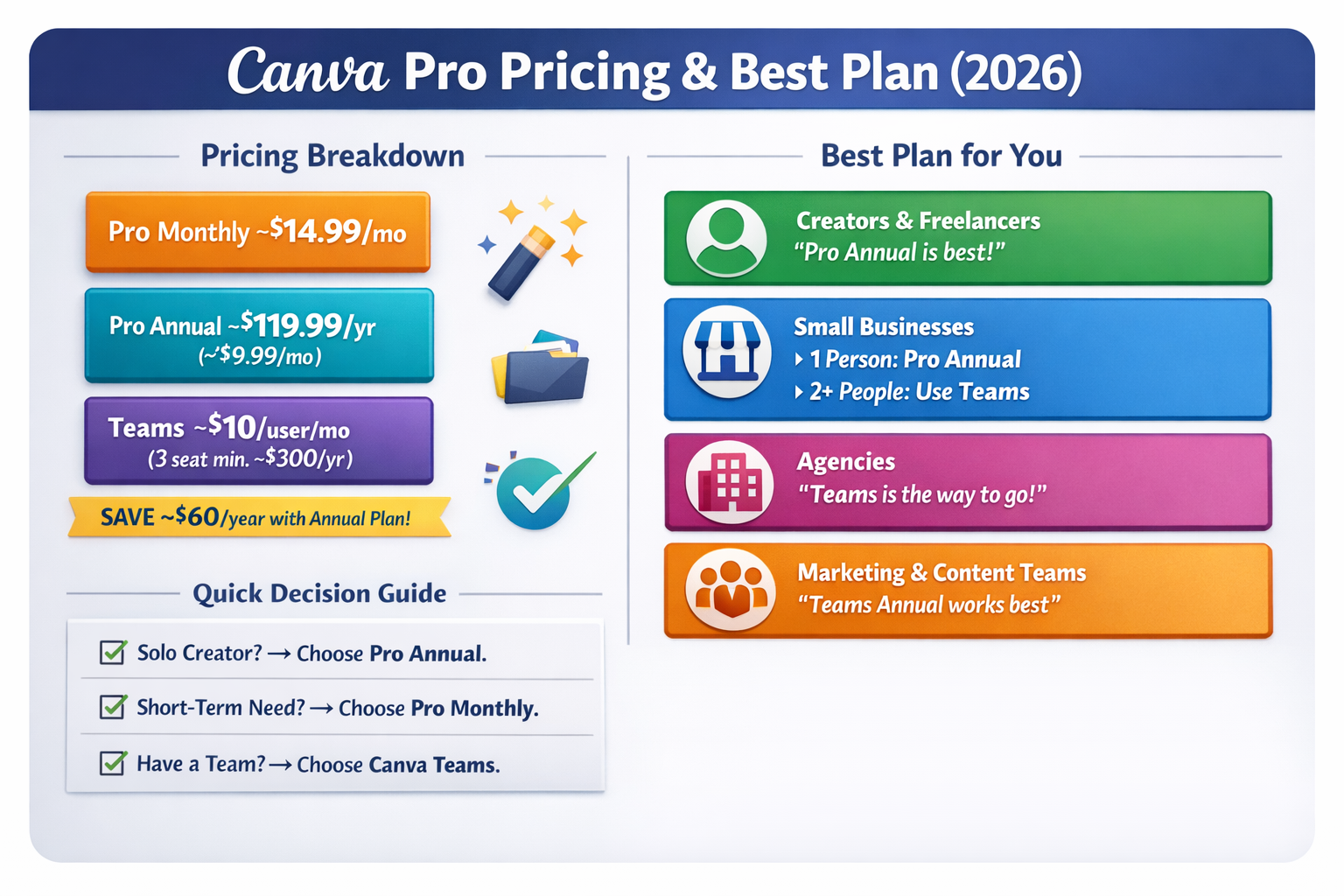
In today’s digital-first environment, businesses are required to produce a constant flow of visual content. From social media posts and advertisements to presentations, brochures, and internal documents, design has become an everyday business function rather than an occasional task. Canva Pro has emerged as a powerful solution for businesses that need professional-looking designs without relying heavily on external designers or complex software.
Canva Pro is especially valuable for small and medium-sized businesses that want speed, consistency, and control. Unlike the free version of Canva, Canva Pro provides advanced tools that help teams work efficiently while maintaining a strong and consistent brand identity across all platforms.
One of the most important features of Canva Pro for businesses is the Brand Kit. A Brand Kit allows businesses to store their official logos, brand colors, and fonts in one centralized location. This ensures that every design created by team members follows the same visual identity. Without a Brand Kit, businesses often struggle with inconsistent colors, mismatched fonts, and outdated logos being used across marketing materials. Canva Pro eliminates this problem by making brand assets easily accessible and locked into the design process.
Templates are another major advantage of Canva Pro for businesses. Instead of designing everything from scratch, businesses can create reusable templates for common needs such as Instagram posts, Facebook ads, presentations, flyers, brochures, invoices, and internal documents. Once a template is created, it can be reused by different team members while preserving the original layout and branding. This significantly reduces design time and ensures visual consistency across campaigns.
Permissions and access control play a crucial role in business workflows. Not every team member should have full editing rights, especially when working with branded materials. Canva Pro allows businesses to assign different access levels, such as editor, commenter, or viewer. This prevents accidental changes to important designs while still enabling collaboration. For growing teams, this feature adds a layer of control that is essential for maintaining quality.
Approval workflows further streamline the design process. In many businesses, designs must be reviewed before they are published or shared with clients. Canva Pro makes this process simple by allowing managers or stakeholders to comment directly on designs, suggest changes, and approve final versions within the platform. This reduces long email chains, miscommunication, and version confusion. Everything stays in one place, making collaboration faster and more transparent.
Another key benefit of Canva Pro for businesses is access to premium assets. Canva Pro includes millions of licensed stock photos, videos, icons, and illustrations that can be used for commercial purposes. This removes the need for separate stock subscriptions and reduces legal risks related to copyright and licensing. Businesses can confidently use these assets in advertisements, websites, and client-facing materials.
For marketing teams, Canva Pro becomes a productivity booster. Campaign visuals can be created quickly, resized for different platforms using Magic Resize, and scheduled using the content planning tools. Sales teams can build polished presentations, while HR teams can design internal communication materials without needing specialized design skills.
In 2026, Canva Pro continues to stand out as a cost-effective design solution for businesses. It bridges the gap between professional design quality and ease of use, allowing teams to focus on growth rather than design complexity. For businesses looking to scale their content production while maintaining brand integrity, Canva Pro is not just a design tool—it is a strategic asset.