As businesses and agencies scale, design work rarely remains limited to a single person. Marketing campaigns, social media calendars, presentations, sales decks, and branding assets often involve multiple team members. Managing these workflows using individual design accounts quickly leads to confusion, inconsistent branding, duplicated files, and approval delays. This is exactly the problem Canva Teams is built to solve.
Canva Teams is a collaboration-focused plan designed for organizations that need shared access, centralized brand control, and structured design workflows. While individual Canva Pro accounts are ideal for solo users, Canva Teams introduces features that are essential once two or more people are involved in content creation.
What Is Canva Teams?
Canva Teams is an advanced version of Canva Pro that allows multiple users to work together in a shared workspace. Instead of each person maintaining separate designs and assets, all team members collaborate inside one unified environment. This makes Canva Teams especially useful for marketing teams, agencies, startups, and growing businesses.
Unlike individual accounts, Canva Teams offers tools such as shared Brand Kits, team folders, permission controls, and approval workflows. These features are not just convenient—they are critical for maintaining brand consistency and operational efficiency at scale.
Canva Teams Pricing Explained
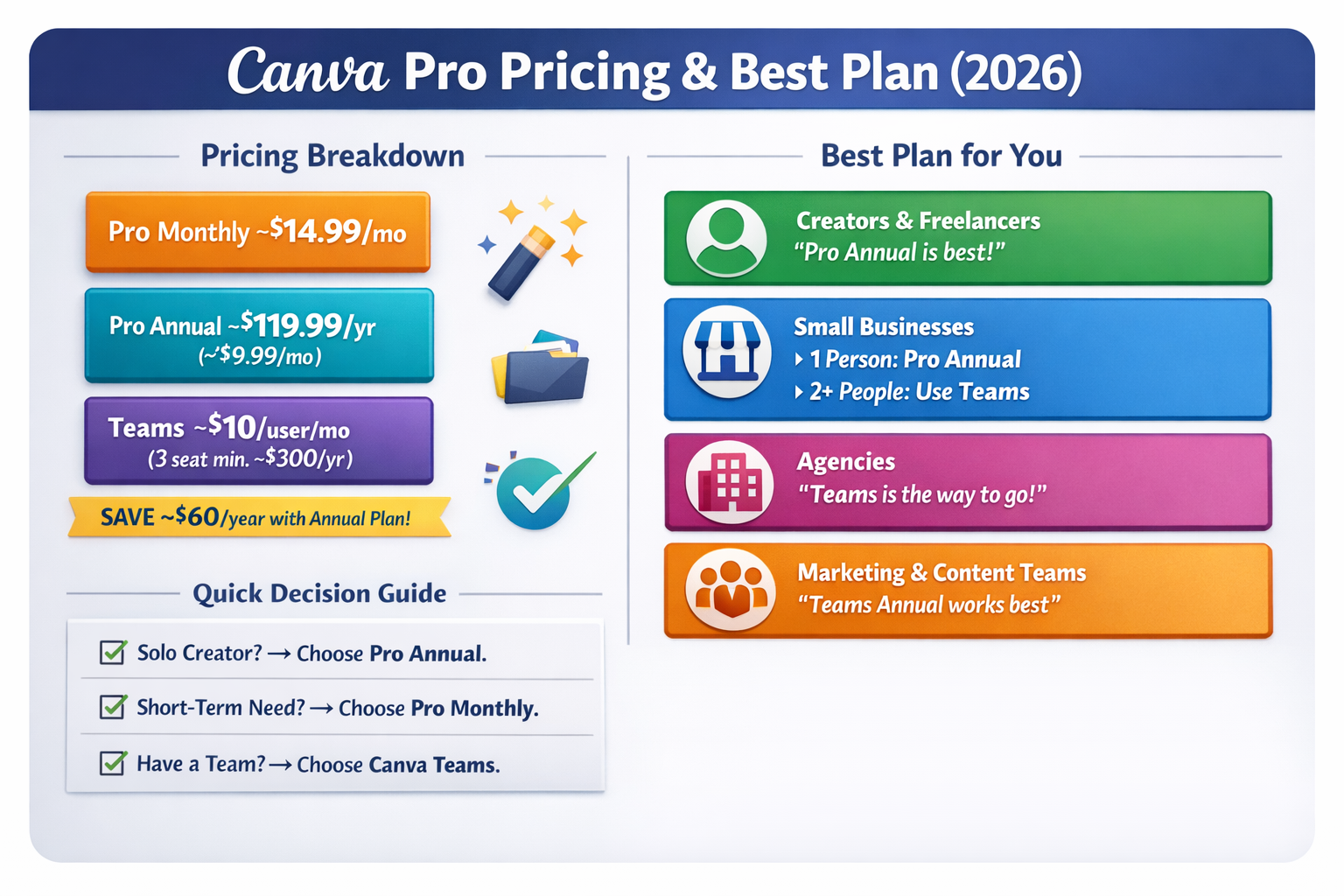
Canva Teams pricing is generally structured on a per-user basis, with both monthly and annual billing options available. While the exact cost may vary by region, Canva Teams is priced higher than an individual Canva Pro plan because it includes collaboration and management features.
For most businesses, annual billing offers better value, as it reduces the per-user cost and provides predictable budgeting. While some small teams may hesitate at the initial cost, the long-term savings in time, reduced errors, and improved workflow efficiency often outweigh the subscription price.
From an ROI perspective, Canva Teams replaces multiple tools:
-
Separate design accounts
-
File-sharing platforms
-
Brand guideline documents
-
Approval and feedback systems
Key Features of Canva Teams
Shared Brand Kits
One of the most valuable features of Canva Teams is the shared Brand Kit. Businesses can store official logos, brand colors, fonts, and visual elements in one place. Every team member uses the same assets, ensuring consistent branding across all designs. This is especially important for companies working across multiple platforms and campaigns.
Team Folders & Asset Organization
Canva Teams allows teams to create folders for departments, campaigns, or clients. This eliminates scattered files and makes it easy to locate designs. Agencies managing multiple clients benefit significantly from this structured organization.
Role-Based Permissions
Not every team member needs full editing access. Canva Teams allows administrators to assign roles such as editor, commenter, or viewer. This prevents accidental changes and protects final designs from unauthorized edits.
Approval Workflows
Approval workflows are crucial for businesses that require review before publishing. Managers can comment, request changes, or approve designs directly within Canva. This reduces delays caused by external feedback loops and email chains.
Real-Time Collaboration
Multiple team members can work on the same design simultaneously. Comments, suggestions, and edits appear in real time, making collaboration faster and more transparent.
Canva Teams for Agencies
Agencies often juggle multiple clients, each with distinct branding requirements. Canva Teams allows agencies to manage multiple Brand Kits within one workspace, making it easy to switch between clients without mixing assets.
Designers, marketers, and account managers can collaborate seamlessly. Templates can be created once and reused across campaigns, improving consistency and reducing production time. For agencies delivering high volumes of content, Canva Teams becomes a productivity multiplier.
Canva Teams for Businesses
For internal marketing and communication teams, Canva Teams reduces dependency on external designers. Sales teams can create presentations, HR teams can design internal documents, and marketing teams can manage campaigns—all while following brand guidelines.
Small and mid-sized businesses benefit the most, as Canva Teams provides enterprise-level collaboration features without enterprise-level complexity or cost.
Canva Teams vs Individual Canva Pro Accounts
Using multiple individual Pro accounts may seem cheaper initially, but it quickly becomes inefficient. There is no shared Brand Kit, no centralized folder structure, and no approval control. Canva Teams solves these issues by bringing everything under one system.
Is Canva Teams Worth It in 2026?
If your organization has two or more people creating designs, Canva Teams is absolutely worth it. The improved collaboration, brand consistency, and workflow efficiency translate directly into time savings and better-quality output.
For agencies and businesses focused on growth, Canva Teams is not just a design tool—it is an operational asset.
Final Verdict
Canva Teams is designed for collaboration, control, and scale. While individual Canva Pro accounts are perfect for solo creators, Canva Teams becomes essential once teamwork, branding, and efficiency matter. In 2026, Canva Teams remains one of the most cost-effective design collaboration solutions available for agencies and businesses worldwide.