For many users, the Canva Pro free trial is the first step toward understanding whether Canva’s premium features are truly worth paying for. Canva offers this trial to allow individuals, creators, and businesses to experience its advanced tools without immediate financial commitment. However, many users start the trial without fully understanding how it works, what features are included, or how billing and cancellation actually function. This guide explains everything you need to know about the Canva Pro free trial in a clear and practical way.
The Canva Pro free trial usually lasts between 7 and 30 days, depending on region, account history, and promotional availability. During this trial period, users receive almost full access to Canva Pro features. This includes premium templates, stock photos and videos, brand kits, background remover, Magic Resize, and high-quality export options. Essentially, Canva allows you to test the real Pro experience without limitations so you can evaluate whether it fits your workflow.
One important detail many users overlook is that Canva typically requires a payment method when starting the free trial. This does not mean you are charged immediately, but it does mean the subscription will automatically convert to a paid plan once the trial ends if you do not cancel in time. Understanding this upfront helps avoid unexpected charges and frustration.
During the free trial, users can fully explore Canva Pro’s premium asset library. This includes millions of licensed photos, videos, graphics, icons, and animations that are not available in the free version. These assets can be used in designs for social media, marketing campaigns, presentations, and even commercial projects during the trial. This makes the free trial especially valuable for businesses and creators who want to test real-world use cases.
Another key feature available during the trial is the Background Remover. This tool allows users to remove image backgrounds with a single click, which is extremely useful for product images, thumbnails, and promotional creatives. Similarly, Magic Resize lets users instantly resize designs for multiple platforms, such as Instagram, Facebook, YouTube, LinkedIn, and print formats. These features alone often convince users of the value of Canva Pro.
Brand Kits are also included in the free trial. Users can upload logos, define brand colors, and set brand fonts, ensuring design consistency across all content. For businesses testing Canva Pro, this feature provides a realistic preview of how Canva can support long-term branding efforts.
If you decide Canva Pro is not right for you, cancellation is straightforward but must be done correctly. To cancel safely, go to your account settings, open the billing or subscription section, and select the option to cancel the trial. Once canceled, you will not be charged, and you can continue using Canva Pro features until the trial period officially ends. Cancelling early does not remove access immediately, which is another point many users misunderstand.
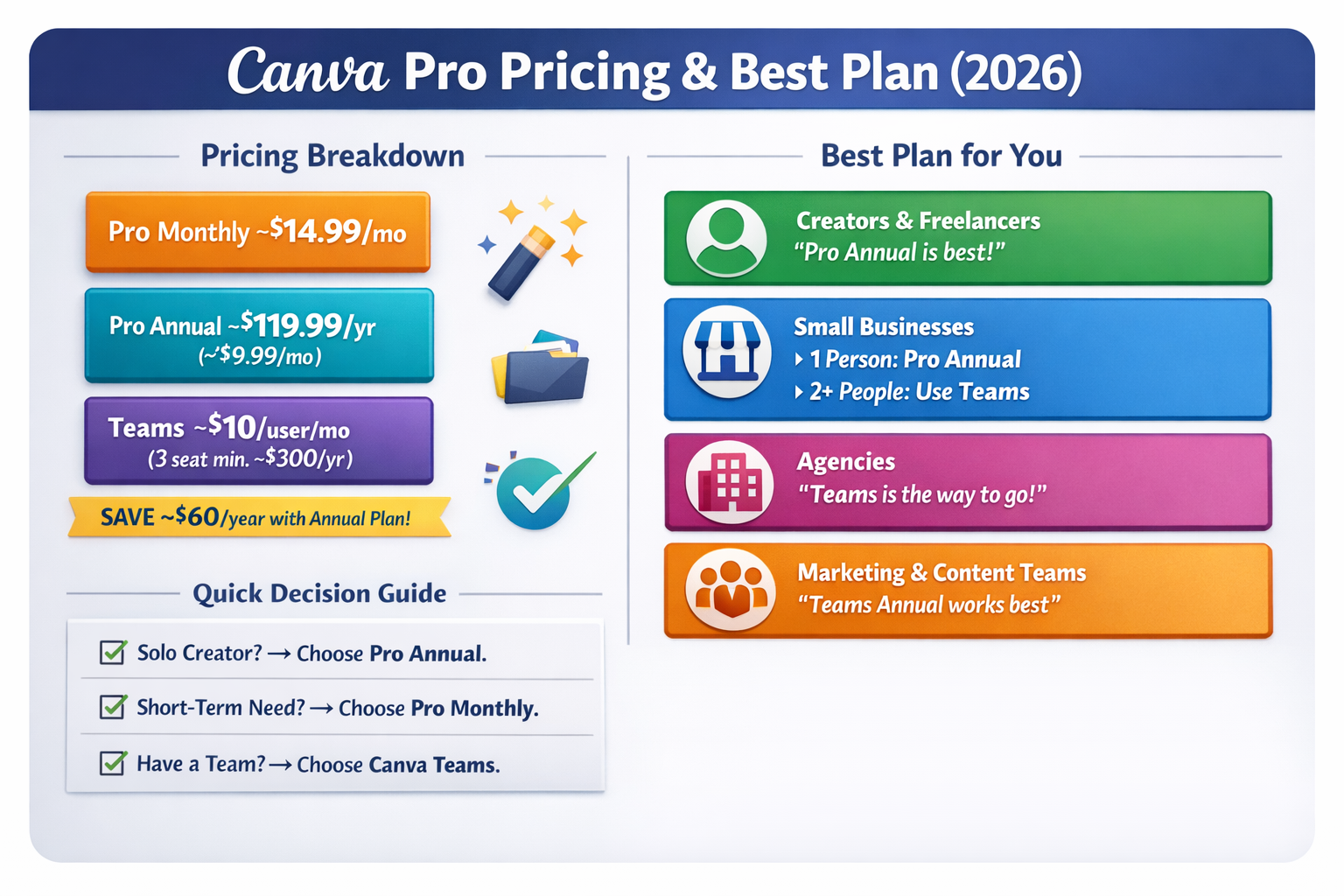
The Canva Pro free trial is best suited for users who want hands-on experience before committing to a subscription. Small business owners, freelancers, marketers, and content creators benefit the most, as the trial allows them to test productivity, design quality, and workflow efficiency without risk. However, users should treat the trial as an evaluation period, not a workaround for long-term free usage.
In conclusion, the Canva Pro free trial is a genuine opportunity to test premium features in real scenarios. When used responsibly, it helps users make informed decisions, avoid unnecessary spending, and choose the right subscription plan with confidence.